The Wake-Up Call
I knew my portfolio was slow. Seven seconds slow. But if it works, don’t fix it, right?
Then I read Why your website should be under 14kB in size? — a deep dive into TCP slow start and why squeezing your initial payload under 14kB makes a massive difference. It felt like a gentle slap in the face. Here I was with a portfolio taking longer to load than a YouTube ad.
So I fixed it. A few hours later: ~7 seconds → ~300ms, entire page under 14kB. Here’s how.
My First Rookie Mistake
My setup: kadamtushar.in (bought from GoDaddy) pointing to kadam-tushar.github.io (hosted on GitHub Pages).
When connecting a custom domain to GitHub Pages, you have two options:
- DNS records (CNAME, A records) - Points directly to GitHub’s servers
- Forwarding with masking - GoDaddy loads your content inside an
<iframe>
I chose option 2. It was easy, required zero DNS knowledge, and technically worked.
It was also completely wrong.
The Investigation
I opened Chrome DevTools and ran a network trace:
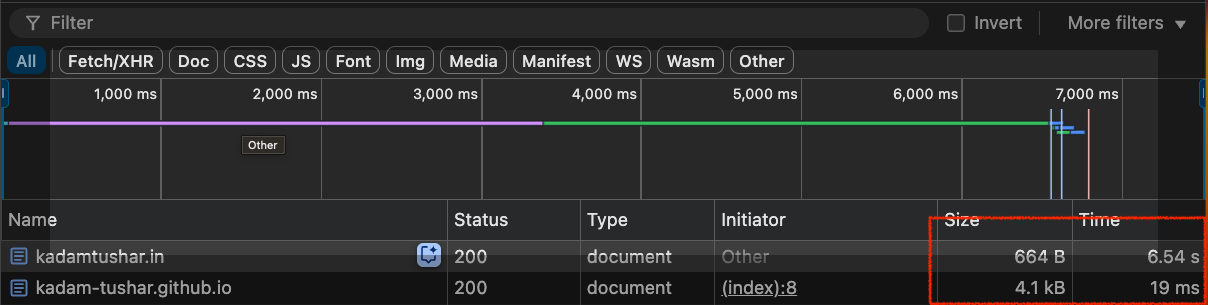
GoDaddy’s servers were loading their forwarding page (~7s), then injecting my GitHub Pages site in an iframe. Like ordering a pizza and having the delivery driver stop for coffee first.
Beyond performance, masking causes SEO issues (Google ignores iframe content) and breaks modern web features.
The fix: proper DNS records pointing directly to GitHub’s CDN.
Round One: 10x Improvement
I deleted the forwarding rule and added DNS records to GitHub’s servers. GitHub Pages routes requests to the nearest geographical location via CDN.
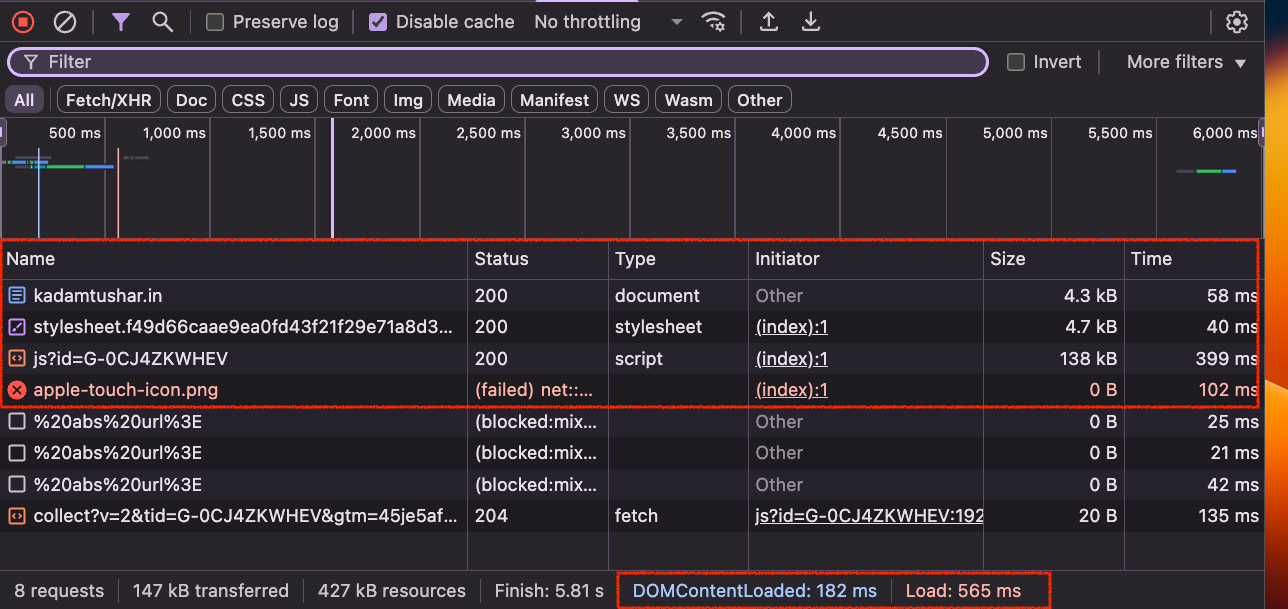
~600ms. More than 10x faster.
But I wasn’t done. The goal was sub-14kB and that instant-feeling load time.
Round Two: Cutting the Fat
I took another look at the waterfall chart. The HTML was small (~4.3kB), the CSS was reasonable (~4kB), but there was a massive 138kB JavaScript file taking ~400ms to load.
It was Google Analytics.
Did I really need to track every visitor to my personal portfolio? Was I making business decisions based on 12 vs. 13 weekly visitors?
Deleted. Also removed a failed request for an abandoned apple-touch-icon.png.
Final payload:
- HTML: ~4.3kB
- CSS: ~4kB
- Total: ~8.3kB
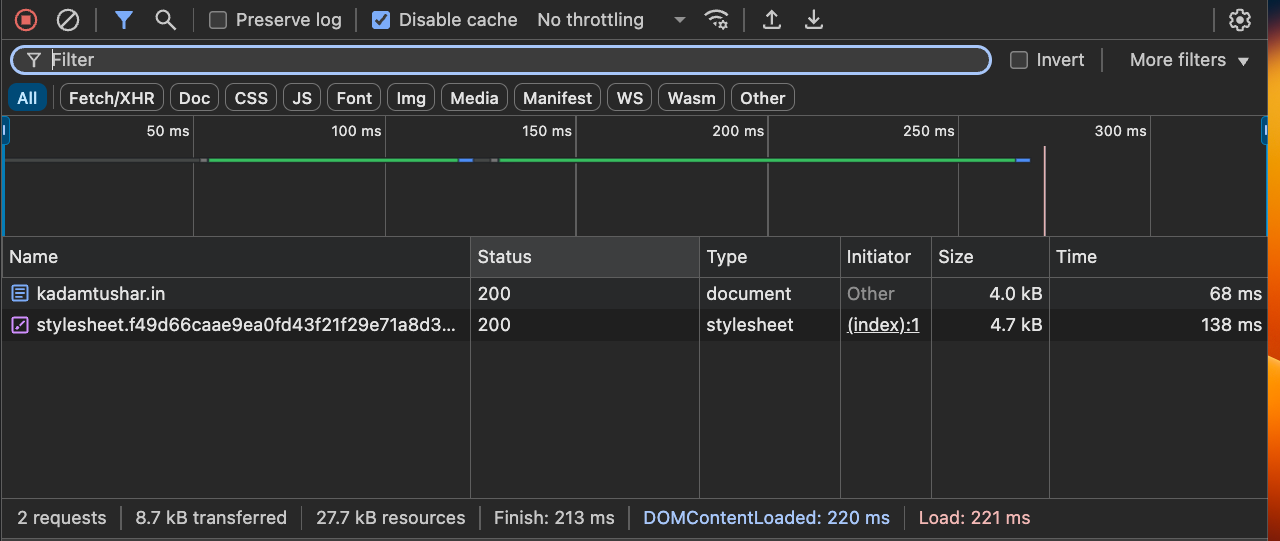
~300ms. It felt instant.
Before and After
I wanted some objective validation, so I ran my site through PageSpeed Insights, Google’s official tool for measuring web performance.
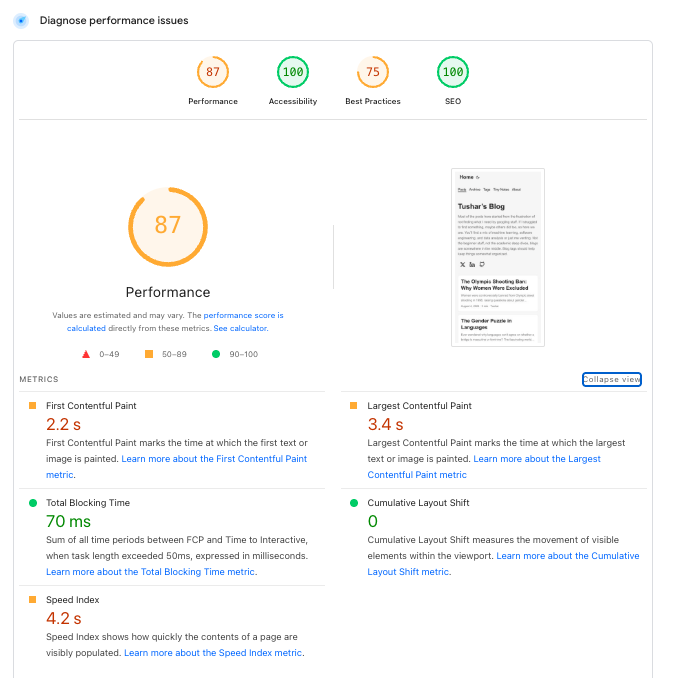
Here’s the before:
and After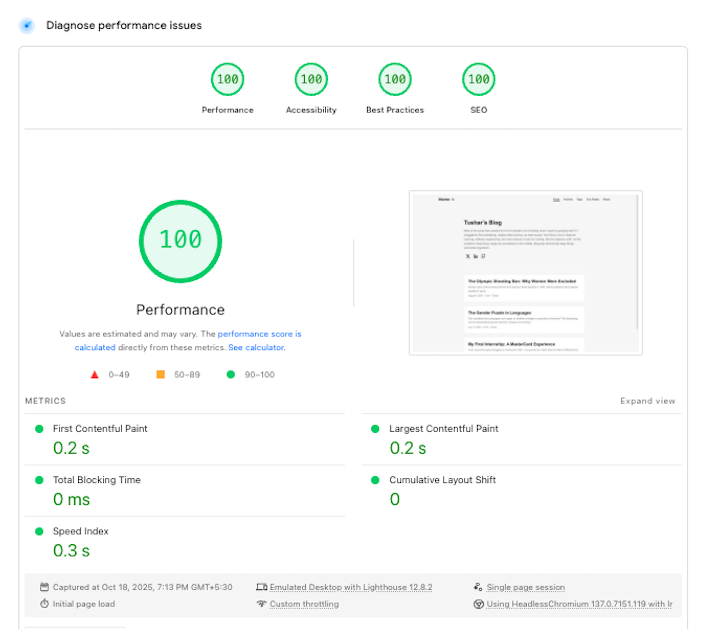
The difference was night and day. Not just in raw speed, but also in SEO scores, accessibility, and best practices.
Key Takeaways
Forwarding with masking is almost never right. It saves 5 minutes but costs you performance, SEO, and debugging sanity.
Third-party scripts are expensive. That 138kB wasn’t just bandwidth — it was 400ms of blocked rendering. Every script has a cost.
The 14kB rule is real. TCP slow start means the first round trip sends ~14kB. If your page fits, it feels instant. If not, users wait for additional round trips.
DevTools is your best friend. I went from “something’s slow” to knowing exactly what and why. Measure first, optimize second.
Final Thoughts
Is my portfolio perfect? No. There’s always more to optimize — images, fonts, service workers, preconnect hints.
But it’s good enough. And fast. Fast enough that I no longer cringe when sharing the link. Fast enough that I learned something about web performance.
If your site is slow, spend an afternoon poking around. You’ll be surprised at the low-hanging fruit waiting to be picked.
Now if you’ll excuse me, I have a sudden urge to re-optimize my blog images. The rabbit hole never ends.